What is Postman
At its core, Postman is a software program for sending, organizing, and documenting API requests. Postman acts as a tool that sends HTTP requests and receives the responses in a user-friendly interface.
From a QA perspective, Postman enables teams to explore, validate, and test API endpoints within a development project. Requests can be organized into collections, parameterized with environment variables, and enhanced with lightweight JavaScript tests for response validation. Even in mature projects with established automation, Postman serves as a complementary tool for quick validation, troubleshooting, and API exploration.
Postman Basics
Postman is built around a few core concepts that make working with APIs efficient and organized. Collections group related requests based on workflows, features, or resources. Collections can be shared across a team, helping everyone stay aligned as the API evolves.
Environments allow you to store variables such as base URLs, authentication tokens, and other values that change between development, staging, and production. This makes it easy to reuse the same requests across multiple environments without manual updates.
Postman can also auto-generate swagger documentation based on the collections and endpoints that exist for a given project. This makes it easy to create documentation or an evolving project without spending extra effort trying to keep up with changes.
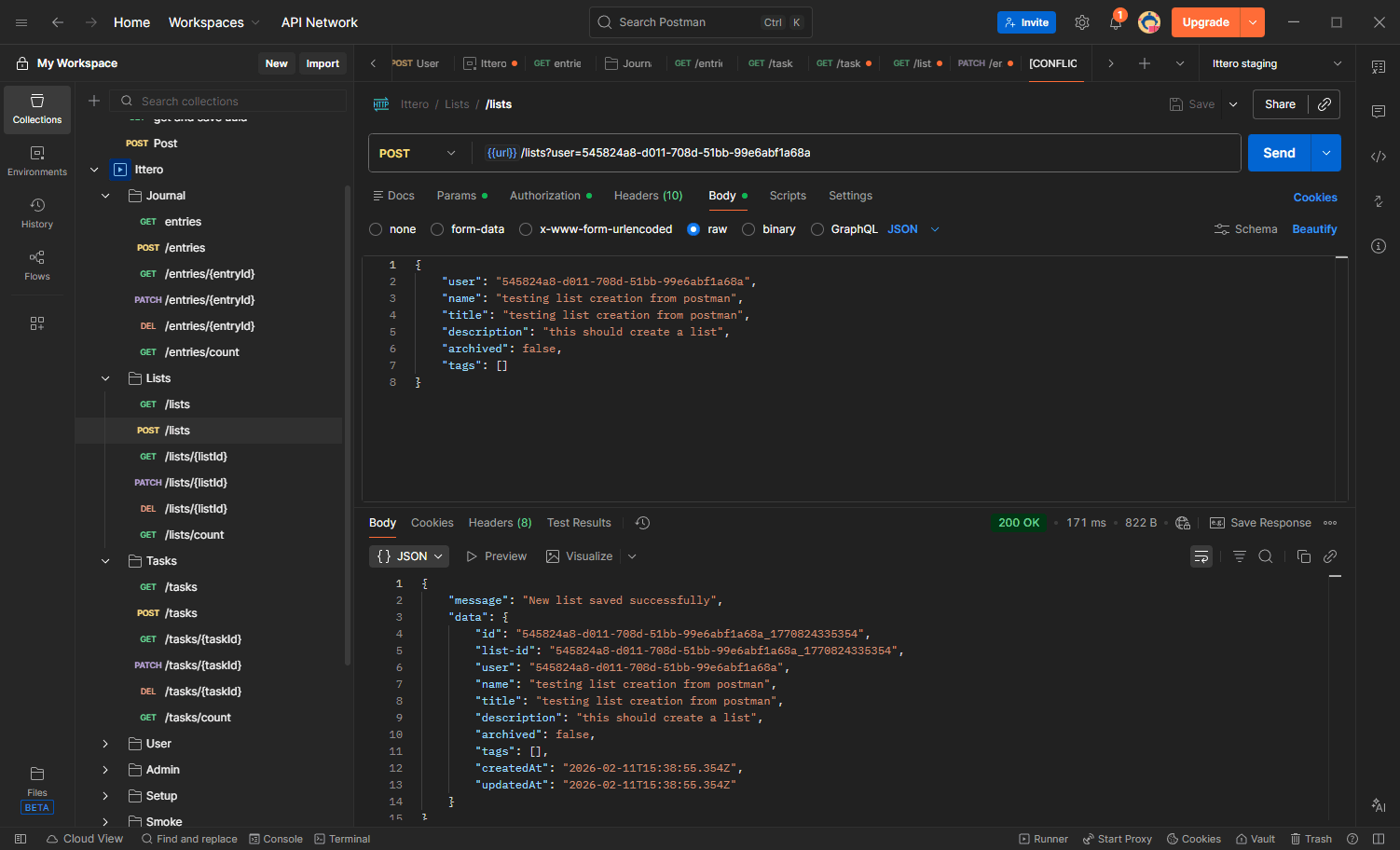
Collection Organization
Teams organize Postman collections in different ways depending on their goals. Two common approaches are endpoint-based organization and workflow-based organization.
Endpoint validation is the easier and similar way of organizing collections. In this method, there exists one Postman call for each type of request within the API. For example in an endpoint for /tasks there will be one Postman call for GET, POST, PUT, and DELETE. This keeps things nice and concise while collection folders exist for each resource. This also allows clean and concise documentation to be generated from the collections.
Workflow-based organization is more aligned with QA and testing needs. Instead of grouping by resource, collections are arranged based on purpose or specific use cases. For example, folders would be created for Setup, smoke test flows, common user flows, full regression, admin features, etc. This approach allows specific folders to be executed independently to validate targeted areas of the application. If changes are made to admin functionality, only the Admin folder needs to be run. Test runs can also be pre-scheduled to run autonomously in the test runner section of the Postman dashboard.
When writing tests in Postman, the biggest goal is to validate successful calls and responses related to feature changes or new developments. Targeted execution helps teams quickly verify new features or changes without running unrelated tests, keeping feedback fast and focused.
Postman API Tests
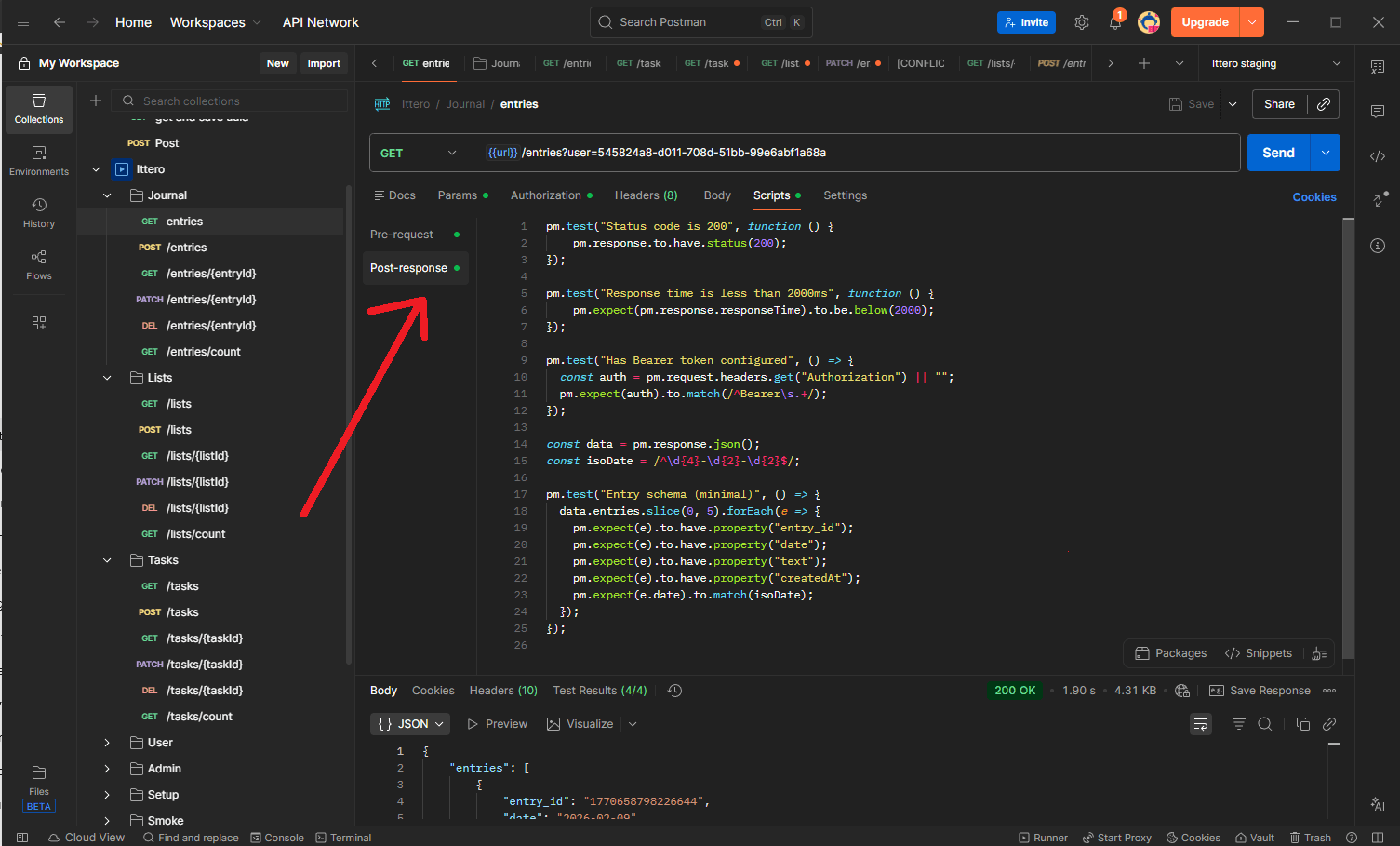
Postman is commonly used by QA teams to validate the working condition of API endpoints. Beyond manual validation, Postman also supports automated testing through JavaScript-based scripts that run before and after a request.
Pre-request scripts execute before a request is sent and are typically used to prepare test conditions. Common use cases include generating authentication tokens, switching user contexts, or creating test data. For example, a pre-request script can create a resource before executing a DELETE request, ensuring the test is independent and does not rely on prior execution order. Structuring things this way ensures API test independence without having to run a chain of consecutive API calls that sets up the state that you need.
Post-request scripts are used to validate the response. Postman provides built-in examples for common checks such as status code validation, response time limits, content type verification, and response body structure. Additional custom post-request scripts written in JavaScript can also be added to validate business logic or specific data conditions.
Together, these scripting capabilities allow Postman requests to function as lightweight, repeatable API tests that support quick validation and regression checks.
Postman as a Complement to Automation
Postman is not intended to be the primary solution for comprehensive API testing in most projects. Full test frameworks such as Playwright, Cypress, PyTest, or similar tools are better suited for validating complex scenarios and edge cases.
Automated test suites typically cover multiple conditions for a single endpoint, such as successful responses, authentication failures, authorization rules, boundary values, error handling, concurrency behavior, and other edge cases. Replicating this level of coverage in Postman would require a large number of requests, quickly making collections difficult to manage and maintain.
Instead, Postman is most effective when used for targeted validation. Keeping Postman collections focused on core functionality, smoke tests, and critical workflows ensures they remain fast, readable, and easy to maintain.
Relying solely on Postman for API testing often leads to limited coverage and increases the risk of missing high-impact edge cases. When used alongside a dedicated automation framework, Postman provides quick feedback and operational flexibility without replacing deeper automated validation.
Conclusion
Postman is a powerful tool for exploring, validating, and maintaining visibility into API behavior. When used appropriately, it provides fast feedback, clear organization, and lightweight testing that supports day-to-day development and QA workflows.However, Postman is not designed to replace comprehensive automated testing. Attempting to capture every edge case within Postman can lead to large, difficult-to-maintain collections, while relying on it alone may result in gaps in coverage.